
How to embed NGP VAN on your campaign website
NGP VAN, a leading software provider in the political and nonprofit sectors, offers powerful tools for campaign management, fundraising, and voter engagement. Squarespace users can seamlessly integrate NGP VAN signup forms into their websites by using the embed codes provided by each form.
Step 1: Generate an embed code in your NGP VAN account
In NGP VAN, find the signup form you want to embed.
Navigate to the top right of the form and click the Link & Embed button.
Copy the Share Link or Embed Code.
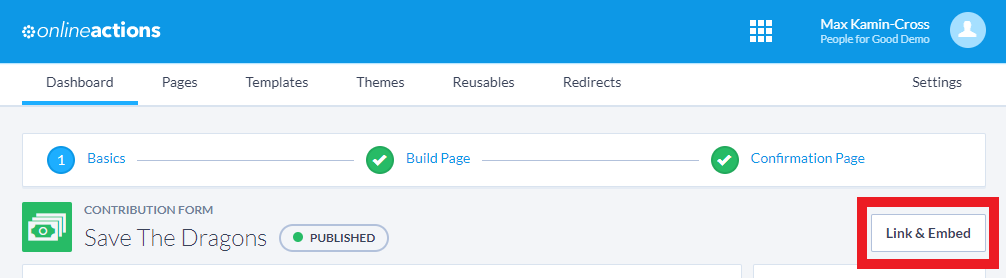
While editing the form via Online Actions, navigate to the top right and click "Link & Embed"

Select "Copy Embed Code" to copy the full code block or copy the “Copy Link” URL
Step 2: Add the embed code to your website
In the Squarespace page editor, click on the section where you want to embed the form.
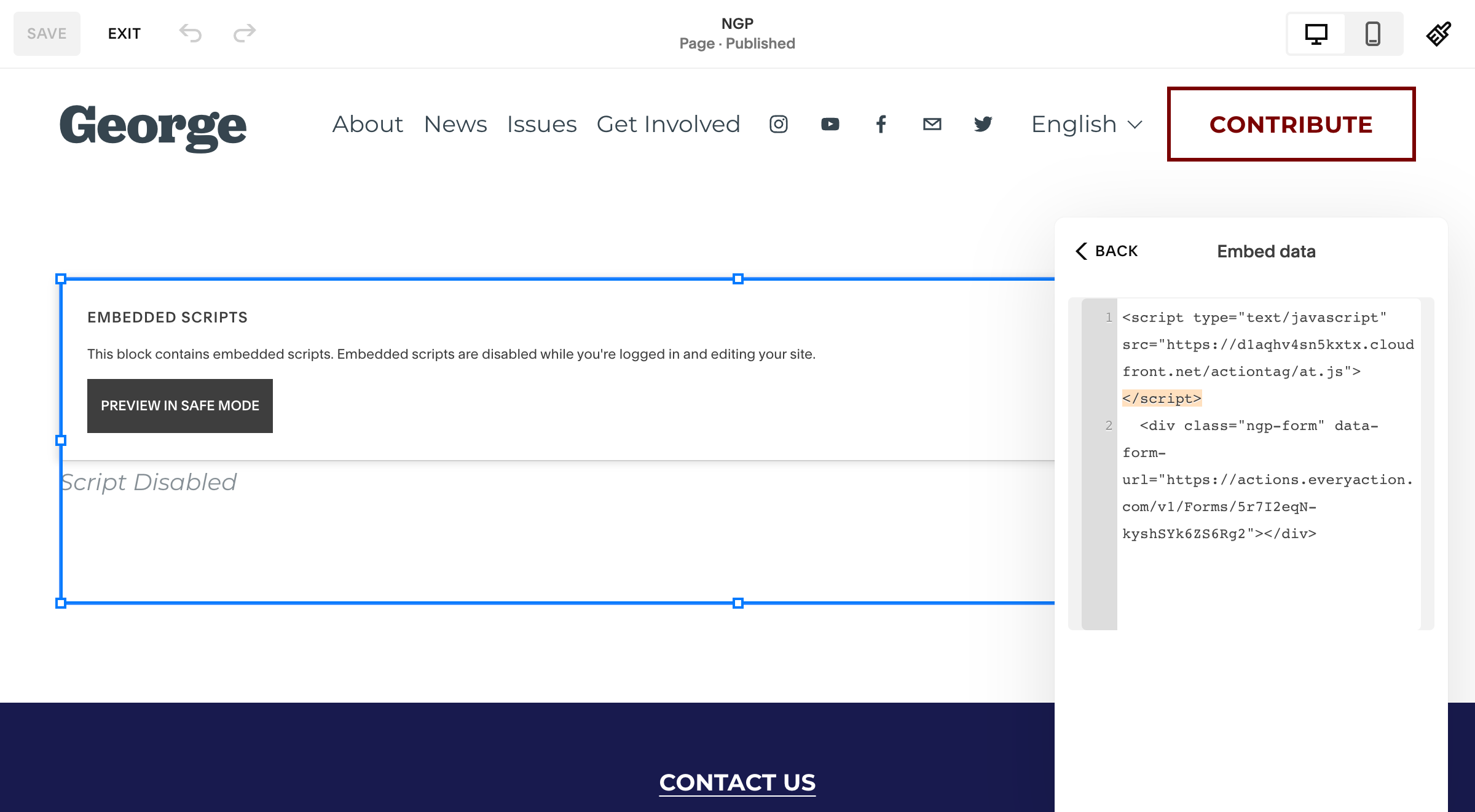
Using the block editor menu, add an "Embed" block to your page.
In the Embed block, paste the HTML code (or URL) you copied from your NGP VAN account in step 1.
Step 3: Save and Publish:
Save your changes in Squarespace.
Preview your page to make sure the NGP VAN signup form is displaying as expected.
Test the embedded NGP VAN signup form to ensure it is functioning correctly on your Squarespace website. Make sure you can submit data and receive confirmation.
Note: As a security measure, sometimes embedded code or content doesn't appear when you're logged in. As long as the code is valid, it should display to visitors. To check that it appears to visitors, try logging out of your site and visiting it, or opening it in an incognito window. Learn more
